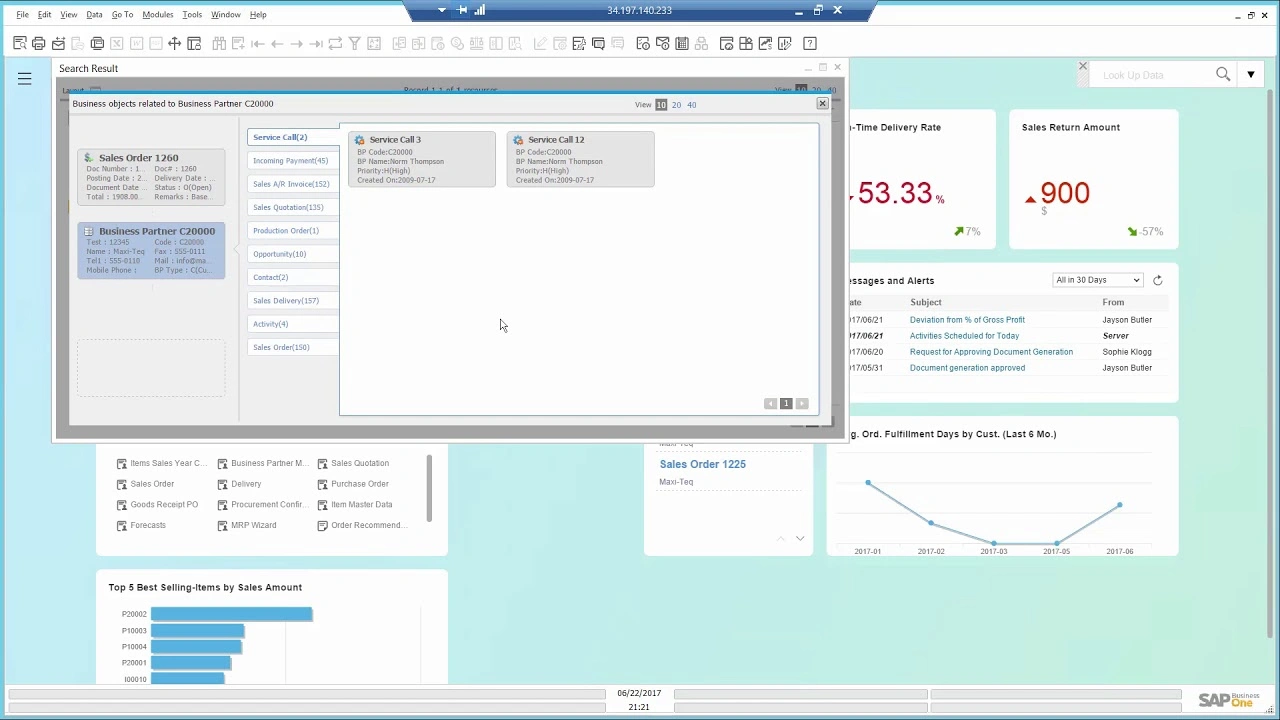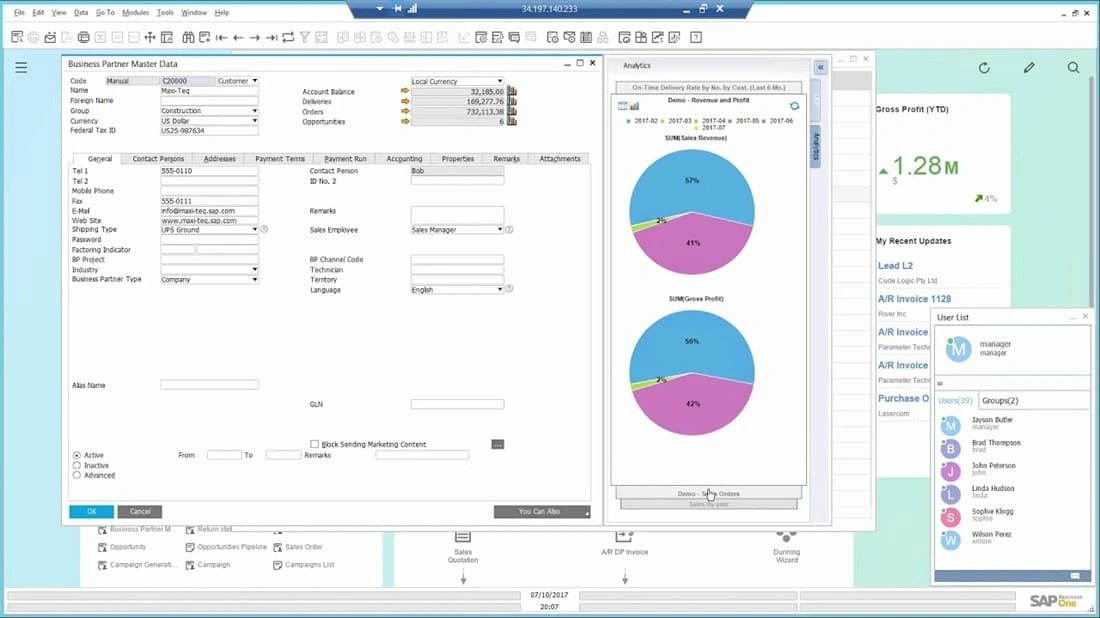

With SAP Business One ERP, you are getting an integrated software system and management solution with sales and CRM (Customer Relationship Management) capabilities. We are based in Kenya and able to provide local support with a strong certified team that has domain knowledge and strong experience in deploy solutions for Kenyan companies taking into consideration Kenyan statutory requirements and other obligations.
Watch a Demo on sales, CRM campaign management and CRM sales opportunity capabilities in SAP Business One ERP
Acquiring new customers is important for success, but maximizing customer relationships (CRM) is just as crucial. SAP Business One provides the tools to help you efficiently manage the entire sales process and customer lifecycle – from initial contact to final sale, to after-sales service and support. Its integrated functionality provides a complete view of prospects and customers so you can better understand and meet their needs. As a result, you can turn prospects into customers, increase sales and profitability, and improve customer satisfaction.

track opportunities and activities from the first contact to deal closing.

create, manage, and analyze marketing activities.

store all critical customer data in one place, synchronize and manage customer contacts stored in Microsoft Outlook

manage warranty and service contracts efficiently, enter and respond to service calls quickly.

create detailed reports on all aspects of the sales process, including sales forecasting and pipeline tracking, using time saving templates.

manage your sales information on the move with SAP Business One Sales mobile app.
Engaging effectively with your customers and clients is key to the success of any business. Good customer relationship management (CRM) software helps you do this by storing all customer interactions across your different departments, in one central place.
Investing in a good customer relationship management system can help you increase sales, grow your client base and improve customer services. As long as you plan your CRM implementation carefully – from scoping to customisation – your CRM system can be set up to support your overall business requirements and goals.
CRM software tracks and collects interactions with leads and existing customers as they move through every stage of the sales cycle. It organises this data, alongside customer contact details, internal communications, and other essential information, in an easy-to-access, centralised online hub.
This helps ensure seamless collaboration between your different departments – including lead generation, sales, marketing and customer service – to facilitate coherent, effective communications.
Good CRM solutions optimise workflow by automating processes and sorting your customer data in real time – so your team members are always working from the most up-to-date information. This means less administrative work for your employees, allowing them to focus on nurturing relationships, delivering excellent, personalised customer service, and exploring new leads.
CRM software can also generate in-depth, actionable analytics, that you can leverage to assess progress and adjust your strategy going forward.
With the application of dynamic CRM software for small business it’s easy to find the information you need to deliver targeted campaigns to the most appropriate contacts.
Tailoring your communications to your customers’ needs will improve their experience, encouraging conversions as well as repeat sales. And when they place an order, you can track it using your ERP or business management solution.
Exceed customer expectations : Gaining a complete view of the customer journey means your team can reply to queries with more personal responses and resolve issues faster.
Use CRM software to streamline the sales process, automating tasks like creating quotes and orders, forecasting sales and progressing leads. An efficient CRM system will apply sales workflows to this data, in order to convert data into opportunities.
Market more effectively : CRM software gives you access to real-time analytics on customer behavioural patterns, helping better understand their needs and preferences.
Target your marketing : Make the most of your customer data and marketing budget with an integrated CRM solution that facilitates targeted, productive campaigns.
There are significant differences between cloud-based CRMs and on-premise CRMs. In the on-premise CRM model, a business hosts and operates servers and networks in physical locations, which house their customer database. Often, companies use this option because they are using legacy systems that were set up decades ago. Another reason could be because they operate in places where Internet is unavailable or unreliable.
Compared to cloud-based CRMs, on-premise CRM requires significant upfront costs to install because it is built from scratch on-location, rather than already tapping into an existing CRM infrastructure. On-premise CRM software also requires that a company hire and oversee ongoing personnel management to maintain the system. Additionally, unlike cloud-based CRM, on-premise systems occasionally require internal IT resources or an outside team, to take the system off-line to implement updates. In addition to the costs involved, there is often time lost since employees who use the system cannot access it.
For these reasons, moving forward with a cloud-based CRM usually leads to faster set-up, lower costs, less disruption and downtime for maintenance.
AI in CRM is quickly becoming the norm across industries, providing real-time insights and helping to improve relationships at every step of the customer lifecycle. AI-powered CRM software can analyse large volumes of data to proactively identify patterns and trends that drive more personalised customer experiences across departments. Generative AI-CRM can add even more productivity to your CRM software by helping you to create new content — like sales emails, marketing campaigns, customer service responses and customised shop fronts — that is based on the customer data stored within your CRM.
SAP Business One is the best selling ERP software system in Kenya and trusted by over 85,000 customers and one million users. The ERP system provides clear visibility into your entire business and complete control over every aspect of your operations.
Explore ERP System OverviewOutgrown your existing system, find out why you should upgrade to an ERP System
Explore ERP System vs Accounting SoftwareSAP Business One delivers comprehensive, integrated sales and service functionality, helping to ensure total control of customer acquisition, retention, and profitability for your business. Tightly integrated features across marketing, sales, and service provide end-to-end visibility for the entire customer lifecycle.

Record every sales opportunity, from lead identification of the customer through discovery, qualification, proposal, closing, and after-sales service and support. You can even enter details of the opportunity, including the source, potential deal size, closing date, competitors, and activities.
Manage all information about customers, resellers, and suppliers, including e-mail addresses, profiles, sales reports, activities, and account balances. Use the calendar to track your activities and perform keyword searches to find specific items in the calendar.
Analyze opportunities by lead source, territory, industry, customer, and item. The reports show forecasts and anticipated revenue by various date ranges, such as month and quarter. You can view distribution of leads by source over time to identify the most profitable lead-generation activities.
Import thousands of prospects from Microsoft Excel files or other standard file formats, such as comma-separated value (CSV) files, and then manage and follow upon activities. Add prospects to e-mail campaign lists, contact lists, and newsletters. Target prospects or business partners with e-mail and cold-call campaigns.
Obtain a unique, time-phased view of business data with the dynamic opportunity-analysis report, which enables you to readily spot trends, patterns, and behaviors of sales opportunities and personnel.
Create sale quotations for your leads and customers. You can calculate gross profit for each quotation, readily review the sales price history, and, once you create a quotation, quickly export it to Microsoft Word.
Simplify entry of sales orders by accessing item availability information through an available-to-promise report across multiple warehouses. When a shortage arises, choose to order from a list of alternative items or allow the item quantity to be partially delivered. Orders can support different delivery dates and ship-to addresses for each line item, and you can automatically create purchase orders from a sales order and drop-ship the items to the customer’s site.
Generate packaging documentation for all goods shipped to a customer. The built-in packaging function facilitates the “virtual input” of items into different parcels when a delivery is created. You can store the delivery tracking number and access the shipping status within the delivery note with the click of a mouse. The software automatically updates warehouse quantities when you make a delivery.
Quickly process returns, and adjust your inventory and AP balance with the corresponding vendor.
Track orders that cannot be delivered to customers due to inventory shortages, and automatically fulfill outstanding orders when items are received to inventory.
Automatically create a corresponding journal entry with each invoice. As a result, you can create an automatic receipt if the customer chooses to pay only part of the invoice.
Create an invoice and receipt in one step by using information from the same document.
Readily import data from the original invoice when creating credit memo for returned merchandise.
Apply your customers’ down payments to sales orders. You can process a down payment with or without an invoice, and can decide whether you would like to create the appropriate accounting postings once the down payment is made or only document without creating any postings.
Select period, document number, or document type to print sales and purchasing records.
Print, edit, and manage all documents that have been saved as drafts.
Automate the creation of documents used in the sales and fulfillment activities by using information from one or more other documents as a starting point. With the help of the wizard, you can decide to create target documents such as delivery notes or invoices automatically using sales orders, deliveries, returns, or AR invoices as a basis. For example, you can group all existing sales documents in a single invoice for any given customer, or create summarized invoices for any given customer based on a variety of orders and delivery notes collected over the course of a month.
Automate the process of creating and sending reminder letters to customers with outstanding payments. Execute the wizard at regular intervals, such as monthly or weekly, to check for outstanding customer invoices, and send a series of late notices with different levels of severity at predefined intervals. In addition, you can maintain a payment history for each customer so you can make more informed decisions when it comes to defining payment terms for future orders.
While there are many benefits to using a CRM, choosing the best one requires planning so that you can avoid implementation challenges. Often, these issues arise from clunky, more-traditional on-premise systems. Cloud-based CRMs have been built to solve for these concerns, removing barriers to getting started.
It can be difficult to implement a CRM that lives on a localised server because there is much more effort involved in customising these systems. Additionally, single-threaded CRM solutions, which are only able to perform one action at a time, slow down processes and integration with other tools.
Solution: Cloud-based CRMs can be easily customised, giving you the flexibility to add features and to scale up or down as your business needs change.
The average company uses over 1,000 apps, yet the majority of these apps aren’t able to share data with each other. It can be a challenge to get a true single view of the customer if a CRM isn’t able to access data from external software applications like accounting, marketing, customer service and ecommerce. Integrating these systems can be complex, time-consuming and require significant technical expertise.
Solution: Choose a CRM that is built to be integrated with your external systems and comes with support that can help you along the way.
Some CRM software can have complex user interfaces and require extensive training that can be expensive and take time away from more productive work. CRMs are meant to make work easier and more collaborative, but one that is difficult to use can have the opposite effect.
Solution: Choose a CRM that allows you to choose your level of support options, such as online help centres, phone-based help and full support teams. Proactive training options, can empower users to learn at their own pace and attain new skills.
Companies are entrusted with a lot of sensitive customer data, which makes it a popular target for cyberattacks. Businesses are legally required — and have an ethical obligation — to protect that information from unauthorised access.
Solution: Choose a CRM with built-in security, like encryption, access controls and firewalls. Your CRM partner should always be working to protect its systems from the latest threats.
There are several key factors to consider when choosing a CRM that will fit your company’s needs.
Planning your CRM software search can take some time, but thinking about all of these factors from the start will help you to make the right decision for your business. Once you do, you’ll be on your way to strengthening customer relationships, attracting new prospects, improving customer service, boosting sales, scaling marketing efforts and helping you to grow.
CRM Software is a fully automated Customer Relationship Management software. It provides process automation for Marketing, Sales, and Services.
CRM Software includes features to manage leads, contacts, customer accounts, orders, opportunities, sales, customer segmentation and more.
CRM Software is scalable and can be customized to fit businesses of various sizes and types, from growing to large enterprises, across different industries such as retail, finance, healthcare, and more.
CRM Software integrates seamlessly with various third-party applications such as email clients, ERP systems, e-commerce platforms, marketing tools, and social media networks.
CRM Software employs robust security measures, including data encryption, access controls, regular security updates, and compliance with industry standards for protecting sensitive customer data.
Yes, CRM Software is highly customizable to meet the unique requirements of your business, including custom workflows, reports, dashboards, and integration with specific tools and applications.
CRM Software provides tools for automating sales processes such as lead capture, opportunity tracking, pipeline management, and sales forecasting, helping sales teams be more efficient and effective.
It includes marketing automation tools to manage campaigns, track leads, segment audiences, and analyze marketing performance, allowing you to create more targeted and effective marketing strategies.
CRM Software can be deployed on-premises or on cloud.
Costs may vary based on the number of users, customization requirements, and the chosen deployment model.
Yes, CRM Software supports multi-channel customer support, including email, phone, live chat, social media, and web forms, ensuring that you can provide consistent and efficient support across all channels.
Explore our Kenya specific information based on the challenge you are having.
Read and hear more about the value that customers have seen.
Simply fill out the form and we’ll be in touch.