
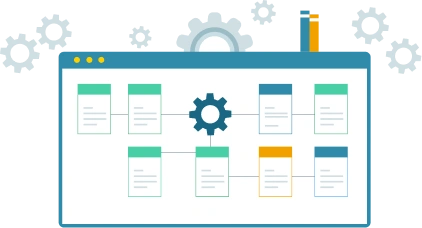
With SAP Business One ERP, you are getting an integrated software system and management solution with project and resource management capabilities. We are based in Kenya and able to provide local support with a strong certified team that has domain knowledge and strong experience in deploy solutions for Kenyan companies taking into consideration Kenyan statutory requirements and other obligations.
Watch a Demo on project and resource management capabilities in SAP Business One ERP
The project management module helps you to monitor the progress of tasks, stages and subprojects, as well as to analyse budget costs and generate reports on various aspects of the project. With the implementation of the Project Management module, you can expect the following business benefits:
Cloud-based Project and Resource platforms provide real-time access to project data and resource schedules, costing data, enabling remote tracking and better collaboration.
AI-driven project and resource planning and predictive algorithms improve forecasting, allowing for more accurate anticipation of future project needs and better inventory management.
The use of IoT devices in projects allows for real-time data collection from various sources, feeding into Project and Resource systems to provide deeper insights and more responsive planning.
Enhanced customization and automated material planning in modern Project and Resource systems lead to increased efficiency, reduced waste, and better cost savings by preventing overstocking.
Project and Resource functionality is often integrated into larger Enterprise Resource Planning (ERP) systems, providing a comprehensive view of project, inventory, and supply chain operations.
Modern Project and Resource systems are moving away from traditional, rigid structures to more flexible and adaptive solutions capable of scaling with business growth and handling complexity.
The use of ERP software within project and financial functions can benefit the entire business, connecting the financial side to project operations for improved decision-making and efficiency. ERP systems can help companies operate better by establishing a common data source across all parts of the business, sharing current department data with finance and project teams to improve accuracy and efficiency around budgeting, forecasting, reporting, procurement, project management, governance, risk, and compliance.
SAP Business One is the best selling ERP software system in Kenya and trusted by over 85,000 customers and one million users. The ERP system provides clear visibility into your entire business and complete control over every aspect of your operations.
Explore ERP System OverviewOutgrown your existing system, find out why you should upgrade to an ERP System
Explore ERP System vs Accounting SoftwareProject Cost and Resource Management ERP Software assists users in identifying the costs and resources required to complete a project. This software includes mission-critical tools to handle project acquisition, budget estimations (BoQ and Value), quotations, and phase-wise project planning.
The core features of Project Cost and Resource Management ERP Software include budget estimation and control, inventory management, document management, dashboards, user-defined status, and mobile accessibility.
Project Cost and Resource helps in accurate project budgeting (quantity and value), cost control, resource optimization, and financial forecasting.
Project Cost and Resource System enables project managers to develop comprehensive budgets and allocate resources effectively, and set financial milestones for tracking project progress.
Industries involved in construction, engineering, manufacturing, IT services, and any sector that undertakes project-based work benefit significantly from effective project cost and resource management.
Project Cost and Resource module utilizes historical data, benchmarks, and industry standards to estimate project costs accurately during the planning phase.
Yes, Project Cost and Resource module supports various billing methods such as Time and Materials (T&M), Fixed Price, Cost Plus, and milestone-based billing.
Real-time tracking allows project managers to monitor expenditures closely, identify cost overruns early, and take corrective actions promptly.
Project Cost and Resource system assists in contract management, ensuring adherence to terms, tracking vendor performance, and managing financial commitments associated with contracts.
Project Cost and Resource Software can be tailored to fit project-based businesses of various sizes and types, meeting the unique requirements of your project processes, including workflows, reports, and integration.
Project Cost and Resource Software allows integration with 3rd-party systems such as supply chain systems, finance apps, and more for faster operation.
Project Cost and Resource Software system is employed with stringent security measures, including data encryption, role-based access controls, and regular security updates to ensure protection to your sensitive business, master, and transactional data.
Yes, Project Cost and Resource Software can be customized to meet the unique requirements of your project processes. It lets you have custom workflows, reports, integration, and more.
Project Cost and Resource Software offers advanced tools for creating detailed project plans and schedules, optimizing resource allocation, managing work orders, and ensuring timely deliverables.
Project Cost and Resource Software can be deployed on-premises or on cloud.
Project Cost and Resource Software costs can vary based on factors such as the size of your operation, the number of users, customization requirements, and the chosen deployment model.
Explore our Kenya specific information based on the challenge you are having.
Read and hear more about the value that customers have seen.
Simply fill out the form and we’ll be in touch.